Running Confluence Locally
Requirements
Running anything locally can use up to 12GB RAM and 100GB storage, running one off modules besides priors will need much less
Running with no customization on local machine or HPC requires: singularity or apptainer
Local machine runs with customization requires: sudo and docker
HPC batch processing before or after customization requires: batch sumbmission platform eg: SLURM or PBS and singularity or apptainer on HPC
Setup commands (no matter what you need to do this)
Download empty directory structure if you want to process from the beginning eg: before filtering of data etc..
Either: (pip or conda) install gdown
gdown 1xRltFZ1gyP_nvwHMJW-rIgClzXx8CSLC
or: download empty_mnt.tar.gz from tinyurl.com/swot-france-2025
Download complete directory if you want to just run a one off module eg: an FLPE
Either: UPLOADING SOON
or: UPLOADING SOON
Decompress
tar -xzvf {whichever tar.gz you downloaded}
Choose reaches to process
Edit empty_mnt/input/reaches_of_interest.json to be a list of reaches you want to process. Leave it as it is to target the devset. You will not auto process all of them.
Download notebooks
git clone https://github.com/SWOT-Confluence/run-confluence-locally.git
Customizing a module, and then only running on your local machine (hours to process end to end, great for one module changes)
Install docker on local machine / server where you have sudo
https://docs.docker.com/engine/install/
Git clone it
If there is a branch name at the end of the command at run-confluence-locally/run_confluence_docker.ipynb do : git checkout {branch_name}
make changes
Fill out and run run-confluence-locally/run_confluence_docker.ipynb
This generates a script that loops through your specified reaches from reaches_of_inerest.json and runs the module.
Customizing a Module (need sudo and Docker), testing on your local machine, and then batch processing on an HPC
One time install commands
Install docker on local machine / server where you have sudo
https://docs.docker.com/engine/install/
Create a personal dockerhub account move your docker image between your local image
https://hub.docker.com/
Customizing a module
Create a dockerhub repo named the module
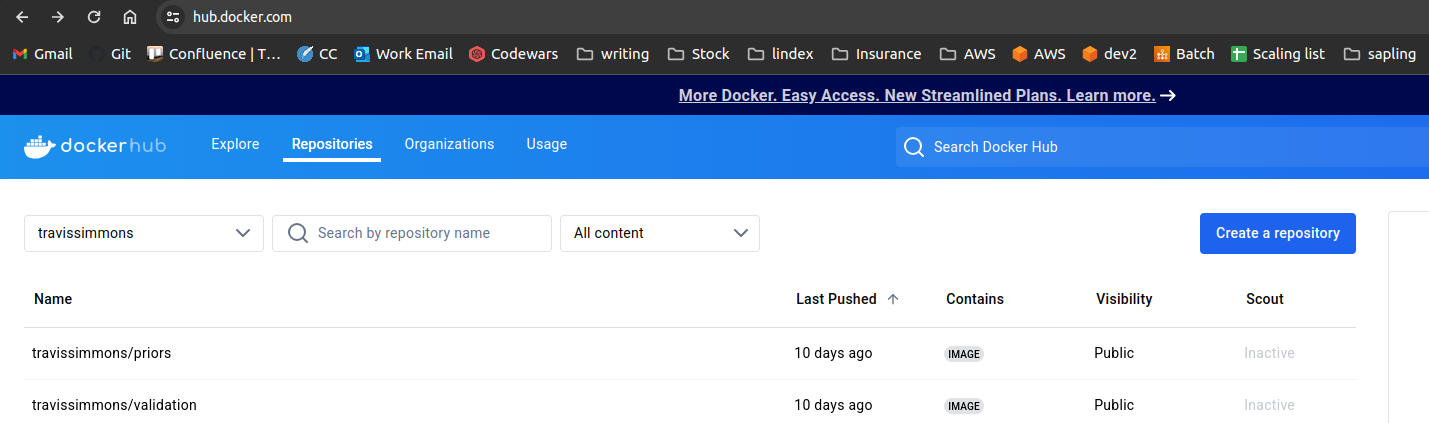
for example, for the priors module, my dockerhub repo link is travissimmons/priors
Download the module you want to run / customize and make changes
Find the module you are interested in at https://github.com/SWOT-Confluence or fork it to your github so you can save changes
Git clone it
If there is a branch name at the end of the command at run-confluence-locally/run_confluence_docker.ipynb do : git checkout {branch_name}
make changes
docker build -t travissimmons/{module name} .
Running a Module on your Local computer with sudo and Docker to test your changes
Fill out and run run-confluence-locally/run_confluence_docker.ipynb
This generates a script that loops through the indexes you indicate from your specified reaches from reaches_of_inerest.json and runs the module.
once you are happy with your changes
docker push travissimmons/{module name}
Running a module from Dockherhub on HPC (Needs batch sumbmission platform eg: SLURM or PBS and singularity or apptainer)
On HPC from here on out
Download the directory structure to your hpc just like you did locally
setup and run run-confluence-locally/run_confluence_HPC.ipynb to generate a submission script that defines job detailes
edit cfl_SLURM_wrapper.sh for bulk submission (SLRUM only) or edit the generated .sh file to submit custom arrays
run bash cfl_wrapper.sh to launch the job
Module Descriptions
| Module | Number of Jobs | Description |
|---|---|---|
| Expanded Setfinder | 7 | Creates sets (groups of connected reaches) starting with your reaches of interest and looking up and down the river |
| Expanded Combine Data | 1 | Combines the files generated in the setfinder into continent level data |
| Input | Number of Reaches | Pulls reach data from hydrocron and stores them in netcdfs, outputs to /mnt/input/swot |
| Setfinder | 7 | Creates sets (groups of connected reaches) only using the reaches that were pulled successfully using Input |
| Combine Data | 1 | Combines files generated in the setfinder into continent level data |
| Prediagnostics | Number of Reaches | Filters reach data netcdfs based on a series of bitwise filters and outlier detectors. OVERWRITES NETCDFS |
| Priors | 7 | Pulls gauge data from external gauge agencies and builds the prior database (Priors SoS) which is eventually hosted on PO.DAAC |
| Metroman | Number of Sets in metrosets.json | Runs the metroman FLPE algorithm, outputs to /mnt/flpe/metroman/sets |
| Metroman Consolidation | Number of Reaches | Takes the set level results of metroman and turns them into individual files, outputs to /mnt/flpe/metroman |
| Momma, Neobam, SAD | Number of Reaches | Runs the corrisponding FLPE algorithm |
| MOI | Number of basins in basins.json | Combines FLPE algorithm results (not currently working because of SWORD v16 topology issues) |
| Offline | Number of Reaches | Runs NASA SDS’s discharge algorithm. |
| Validation | Number of Reaches | If there is a validation gauge on the reach then summary stats are produced. (All gauges are validation in unconstrained runs) |
| Output | 7 | Outputs results netcdf files that store all previous results data, outputs to /mnt/output/sos |
Confluence Directory structure
- mnt
    - input
        - sos (priors sos goes here)
        - sword (sword files go here)
        - swot (swot timeseries files will be generated here)
        - gage (gauge data go here)
        - reaches_of_interest.json that lists what reaches you would like to produce discharge parameters for
    - diagnostics
        - prediagnostics
        - postdiagnostics
            - basin
            - reach
    -flpe
        - metroman
            - sets
        - neobam
        - sic4dvar
        - hivdi
        - sad
        - momma
    - output
        - sos (your results files will be here)
    - validation
        - stats
        - figs
    - offline
    - moi